
If you want to buy Bitcoin with Netspend, you already hold one of the few American reloadable prepaid cards that has a realistic path to a completed purchase. Unlike a rack gift card, a verified Netspend account prints your legal name on the plastic, keeps your home billing address on file, supports 3-D Secure one-time passcodes, and gives you a bank routing and account number inside the Online Account Center. Even so, typing those 16 digits directly into a crypto checkout fails more often than it succeeds. This guide breaks down how Netspend’s issuing banks treat cryptocurrency transactions, which exchanges accept or reject the card, and how to use your Netspend account’s ACH details when the card network says no.
The short answer on buying Bitcoin with a Netspend card
You have two ways to buy Bitcoin with a Netspend account in the United States, and one of them works far more reliably than the other. The first route is paying with the Netspend Visa or Mastercard directly at an on-ramp that allows prepaid cards, such as Simplex (for Netspend Visa only in the US) or Paybis (if 3-D Secure prompts clear). Most mainstream exchanges, including Coinbase, Ramp, Banxa and Mercuryo, reject prepaid Bank Identification Numbers (BINs) automatically.
The second route is treating your verified Netspend card account like a bank account. Once you pass USA PATRIOT Act identity verification with Netspend, your account comes with an FDIC-insured deposit structure at partner banks like Pathward, N.A. or Republic Bank & Trust, complete with a routing number and account number for direct deposits and Automated Clearing House (ACH) transfers. Linking those numbers via ACH on a regulated exchange bypasses the Visa and Mastercard prepaid card rules completely. For the wider rules across all providers, see our hub on how to buy crypto with a prepaid card.
How Netspend works under the hood (Ouro Global and partner banks)
Netspend is not a bank itself. It is a prepaid program manager operated by Ouro Global, Inc. (formerly Rêv Worldwide and TSYS/Global Payments’ consumer division) based in Austin, Texas. When you open a Netspend account, the actual depository institution holding your dollars and issuing the BIN is a partner bank—most commonly Pathward, N.A. (formerly MetaBank), Republic Bank & Trust Company, Axos Bank, or Regions Bank. You can always check which bank issued your specific card by reading the fine print on the back of the plastic.
That distinction matters for crypto buyers because two separate rulebooks govern every payment you attempt: Netspend’s program-level risk filters and the issuing bank’s card-network rules. Netspend also powers several sibling card programs in the United States that share the exact same Online Account Center, mobile app architecture and NetspendReload Network. Those sibling cards include the Brink’s Money Prepaid Mastercard, the ACE Elite Visa Prepaid Card sold at ACE Cash Express stores, and the Skylight ONE payroll card used by hospitality and retail employers. Everything in this guide about Netspend’s card checks and ACH numbers applies to those partner cards as well.
Wait until you hold the permanent, personalized card before you try to buy Bitcoin. If you buy a starter pack at a grocery store, Dollar General or CVS, the card inside the package is a temporary card printed with a generic label like “Valued Cardholder”. Temporary cards cannot pass name-matching checks at crypto exchanges and are restricted from international or quasi-cash merchants until Netspend verifies your Social Security Number and residential address.
Which crypto exchanges accept a Netspend card?
When you enter a Netspend card number at checkout, the payment processor looks up the first six to eight digits (the BIN). That lookup immediately tells the merchant whether the card is credit, bank debit or reloadable prepaid. Here is how major platforms Serving US residents handle a Netspend BIN.
| Platform | Netspend card swipe | ACH transfer from Netspend | What to know |
|---|---|---|---|
| Simplex | Yes (Visa only) | Not offered | Accepts US prepaid Visa cards; US Mastercard not supported |
| Paybis | Conditional | Not standard | Accepts prepaid cards only if 3-D Secure passes; name must match ID |
| CEX.IO | Discouraged | Supported in licensed states | Says prepaid cards rarely succeed; recommends debit card, Apple Pay or ACH |
| Coinbase | Refused | Varies by Plaid link | Explicitly bans prepaid, reloadable and secured cards |
| Ramp / Banxa / Mercuryo | Refused | No | All three wallet widgets list prepaid cards as unsupported |
You can compare the full wording from twelve platforms on our crypto exchanges that accept prepaid cards tracker. Notice how narrow the card-swipe window is: if you are using a wallet app like Trust Wallet, Exodus or Ledger Live and tap “Buy”, the app hands you off to a third-party widget. If that widget is Ramp, Banxa or Mercuryo, your Netspend card will be declined before the request even reaches Pathward or Republic Bank.
Netspend Prepaid Visa vs Netspend Prepaid Mastercard
Netspend lets customers choose between Visa and Mastercard designs when ordering a card online. For ordinary shopping at gas stations or supermarkets, the network makes zero difference. For buying Bitcoin in the United States, the logo on the bottom right corner changes your options significantly.
Simplex—the processor most willing to take prepaid cards on paper—states in its official knowledge base that Mastercard is not supported for cryptocurrency purchases from the United States, and that US buyers can only pay with Visa personal debit, business debit and prepaid cards. If you have a Netspend Prepaid Visa, Simplex will attempt the authorization. If you have a Netspend Prepaid Mastercard, Simplex blocks the card at the form validation stage. We cover this network split in detail in our guides to buying Bitcoin with a prepaid Visa and buying Bitcoin with a prepaid Mastercard.
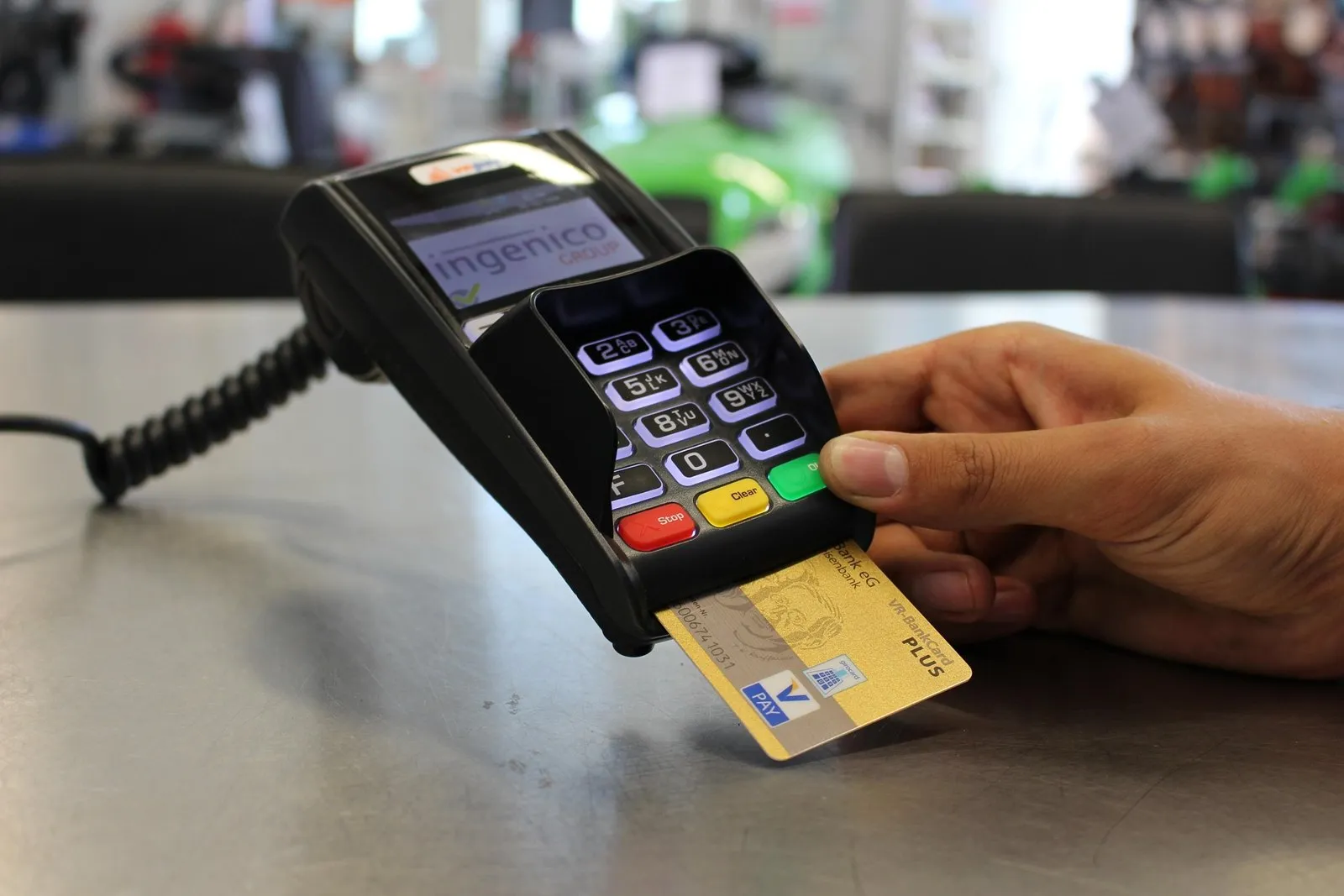
In the US, Simplex processes prepaid Visa cards but blocks Mastercard for crypto. With Paybis or CEX.IO, both Visa and Mastercard face the same 3-D Secure and issuer quasi-cash checks.
Step by step: preparing a Netspend card for a crypto purchase
If you want to attempt a direct card purchase with a Netspend Visa or Mastercard at a compatible provider, work through this checklist before you submit the transaction. Skipping a single item almost guarantees an automatic decline.
- 011. Activate your personalized card
Complete identity verification in the Netspend Online Account Center and wait for the card with your legal name embossed on the front. Do not use a temporary store rack card.
- 022. Verify your billing address and mobile number
Make sure your residential street address (no PO boxes) and current mobile phone number are saved in your profile so AVS and 3-D Secure SMS codes can reach you.
- 033. Turn off Anytime Lock and check international settings
If you keep your card paused with Netspend’s Card Lock feature, unlock it. Many crypto payment processors route card settlement through UK or European acquirers, which triggers foreign-transaction blocks.
- 044. Leave headroom for fees and holds
If you are on Netspend’s Pay-As-You-Go plan, each signature purchase costs $1 to $2. Leave at least $10 to $15 above your purchase amount so the fee or pre-authorization hold does not push your balance below zero.
- 055. Turn off VPNs and ad blockers at checkout
3-D Secure authentication opens an inline security frame from Pathward or Republic Bank. Browser ad blockers and VPN connections frequently cause that frame to time out.
Why Netspend cards still get declined at crypto checkouts
Even when you configure your Netspend account properly and pick a processor that allows prepaid cards, the issuing bank can still refuse the charge. That happens because Visa and Mastercard require cryptocurrency exchanges to tag every card purchase with Merchant Category Code (MCC) 6051 (Non-Financial Institutions – Foreign Currency, Liquid and Cryptocurrency Assets) or MCC 6012, accompanied by a special quasi-cash indicator in the authorization message.
- Netspend cardEntered at checkout
- BIN checkFlagged as prepaid
- MCC 6051Coded as quasi-cash
- Pathward / Republic3DS + risk filter
- Issuer decisionOften blocked as cash-like
When Pathward or Republic Bank & Trust sees MCC 6051 on a prepaid account, its automated fraud engine treats the transaction like buying casino chips, wire transfers or money orders. Prepaid cards are heavily regulated under US anti-money-laundering rules to prevent rapid cash-in and cash-out laundering cycles. As a result, many Netspend BIN ranges have a hard ceiling or outright block on MCC 6051 transactions, regardless of how long you have held the account or whether you have Direct Deposit active.
Another common failure point is international acquiring. While Netspend cards can be used for foreign purchases when properly configured, they charge a foreign transaction fee (typically 3.5% to 4% depending on your cardholder agreement) and apply stricter fraud scoring when a crypto processor settles the charge in London, Dublin or Vilnius instead of the United States. If your payment fails once, do not click retry five times in a row—Netspend’s security system will lock the card for suspected compromise.
In internal benchmarks we have seen across US prepaid brands, Netspend users who actually convert to a funded crypto account are high-intent buyers—usually people who receive their paycheck via Direct Deposit onto Netspend, Brink’s or Skylight ONE. The mistake most of them make is trying to force the 16-digit prepaid card through a card checkout five times. If the card declines once, stop immediately and use your Netspend routing and account numbers for an ACH transfer, or move the money to a normal bank debit card.
The smarter route: using Netspend’s ACH routing and account numbers
Every verified Netspend card account includes a bank routing number and an account number inside the Online Account Center (used for setting up Direct Deposit of paychecks or tax refunds). Because those numbers connect to an underlying deposit account at Pathward or Republic Bank & Trust, you can often use them for standard US ACH transfers instead of running a card transaction.
Why does ACH work when the card fails? An ACH transfer does not travel over the Visa or Mastercard rails, does not carry a prepaid BIN, and does not use the MCC 6051 quasi-cash card flag. From the exchange’s perspective, it is a domestic bank transfer verified via micro-deposits or instant banking credentials. Moreover, ACH deposits on major exchanges are usually free or cost a fraction of the 3.5% to 5% fee charged on instant card purchases.
One caveat with Netspend ACH: some instant bank-linking tools (such as Plaid) recognize Netspend’s routing numbers as prepaid accounts and may restrict instant ACH credit (where the exchange fronts you the Bitcoin before the funds settle), requiring you to wait for standard 1–3 business day ACH clearing or micro-deposit verification. Always keep enough settled funds in your primary Netspend balance (not tucked away in the optional 5.00% APY Netspend Savings Account) so the ACH debit does not bounce and trigger a return fee.
What it really costs to buy Bitcoin with Netspend
Prepaid card fees stack up quietly. Before you buy $100 of Bitcoin with a Netspend card, add up both sides of the ledger—what Netspend charges you to load and spend the money, and what the crypto platform charges to process the card.
| Fee layer | Typical Netspend cost | Crypto on-ramp cost | How to avoid it |
|---|---|---|---|
| Loading cash at retail | Up to $3.95 at Netspend Reload Network stores | $0 | Use free Direct Deposit instead of cash reload packs |
| Card purchase fee | $1.00–$2.00 on Pay-As-You-Go plan ($0 on Monthly Plan) | 2.99%–5.00% card processing fee | Fund via ACH transfer instead of card rails |
| Foreign / cross-border fee | 3.5%–4.0% if processor settles outside the US | Included in spread or FX | Use a US-acquired checkout or domestic ACH |
| Decline / balance inquiry fee | $0.50–$1.00 on some older fee schedules | $0 | Check balance in the free mobile app; never spam retries |
If you pay $3.95 in cash at a store to load $100 onto Netspend, pay a $1.50 Pay-As-You-Go purchase fee, get hit with a 3.5% cross-border assessment, and pay a 4% card fee at the crypto on-ramp, more than $12 of your $100 vanishes before Bitcoin’s network fee even enters the picture. You can model how fees eat into small purchases using our interactive crypto card fees calculator.
Better ways to buy Bitcoin in the United States
If your Netspend card is declined—or if you want to skip prepaid fees altogether—you have straightforward alternatives in the US that do not require a traditional brick-and-mortar bank branch or a credit check:
- Use a no-monthly-fee US fintech checking account such as Chime, Varo Bank or Upgrade Debit, which issue standard bank debit BINs instead of prepaid BINs
- Link your verified Netspend or checking account via ACH on a regulated exchange to pay $0 in bank transfer fees
- Add a personal bank debit card to Apple Pay or Google Pay for fast mobile checkout with biometric 3-D Secure
- If you want a card that spends your crypto balance later, pick a dedicated US crypto card like the Coinbase Card or Crypto.com Visa
For US buyers looking for a regulated exchange that supports personal debit cards, Apple Pay, Google Pay and ACH transfers, CEX.IO is a long-running option. Operating since 2013, CEX.IO is registered with FinCEN as a Money Services Business (NMLS ID 1804170) and holds Money Transmitter Licenses in about 39 US jurisdictions (excluding New York and California). Its support documentation is candid about prepaid cards: while verifying a prepaid card is technically possible, most prepaid transactions fail—particularly when withdrawing funds back to the card—so it recommends using a personal Visa or Mastercard debit card or an ACH transfer instead. New verified US customers can buy up to $1,000 per day and $3,000 per month on cards during their first three months, with a $20 minimum on Instant Buy.
Compare Netspend with other major US prepaid and neobank options in our guides to buying Bitcoin with a Green Dot card, Walmart MoneyCard, Chime, and Varo Bank, or explore our full USA crypto cards guide to see which crypto-funded cards are available in your state.
Frequently asked questions
Can you buy Bitcoin with a Netspend card?
Does Netspend work on Coinbase or Kraken?
Why does my Netspend Visa work better than my Netspend Mastercard on some crypto widgets?
Can I use a store-bought Netspend reload pack or temporary card to buy Bitcoin?
What is the cheapest way to buy Bitcoin if my Netspend card keeps declining?
Sources and official pages
- Netspend — Official Prepaid Debit Card Site
- Netspend — Online Account Center Features
- Simplex — Which cards does Simplex accept?
- Paybis Help — Credit and debit card rules
- CEX.IO Support — Can I use a prepaid card?
- Coinbase Help — Add a payment method troubleshooting
- Visa Merchant Data Standards Manual (MCC 6051)
Tired of prepaid BIN blocks? Use debit or ACH instead.
Verify your account once and buy Bitcoin with a personal debit card, Apple Pay, Google Pay or a US ACH bank transfer.
Buy BitcoinCheck availability in your country before signing up.The exchange linked here holds US state licences but not in every state (New York and California are not on its list). Supported states are shown at sign-up.
